
Download DocumentExplorer – Secure Document Management for Windows 8, Mac, and Cloud Integration
DocumentExplorer is a powerful, lightweight utility designed specifically for Windows 8 users who need efficient access to their documents. With its clean, intuitive interface and seamless integration with Microsoft SharePoint, this software simplifies document retrieval, organization, and collaboration. Whether you're managing personal files or leading a team in a corporate environment, DocumentExplorer streamlines your workflow by providing quick navigation, multi-document viewing, and secure access controls.
The app supports both local and cloud-based document libraries, making it ideal for hybrid work setups. Its ability to sync with SharePoint document libraries allows remote teams to access shared content as if it were stored locally. With features like version branching, encrypted file handling, and automatic updates, DocumentExplorer ensures your data remains secure and up-to-date.
The app is free to download and offers a frictionless experience across Windows 8, with future support expected for Mac and other platforms. If you're looking for a reliable, secure, and fast document management tool, DocumentExplorer is a top choice.
Key Features of DocumentExplorer
DocumentExplorer stands out in the crowded field of file management tools thanks to its smart design and robust functionality. One of its most praised features is the intuitive Ribbon interface, which appears at the top of the window after installation. This layout reduces clutter while keeping essential tools within easy reach.
Users can double-click any document to open it instantly, and with the ability to select multiple files, you can open them simultaneously in a single window—perfect for comparing reports, presentations, or spreadsheets side by side. The Open Selected button allows you to launch a multi-document view, where you can switch between files using simple navigation arrows. This feature is especially useful for professionals who frequently review several documents in one session.
Another standout feature is its deep integration with Microsoft SharePoint. By connecting to your SharePoint document library, DocumentExplorer enables you to browse, search, and access files as if they were on your local drive. This is a game-changer for enterprise users and remote teams who rely on SharePoint for collaboration.
You can also create new document versions, branch from existing ones, and manage permissions—all directly from the app. For added security, sensitive files are encrypted, and access can be restricted based on user roles. This ensures data integrity and compliance with organizational policies.
The app also supports automatic updates, so you never miss out on critical bug fixes or security patches. Whether you're working from home, in the office, or on the go, DocumentExplorer keeps your documents accessible, secure, and up-to-date.
Additionally, DocumentExplorer is built with performance in mind. It’s lightweight and consumes minimal system resources, ensuring smooth operation even on older Windows 8 devices. The clean design prioritizes usability, eliminating unnecessary distractions.
With fast loading times and responsive navigation, it reduces the time spent searching for files. The app also supports drag-and-drop functionality, file previews, and quick search filters, making it easy to locate specific documents by name, date, or type. For users managing large volumes of data, these features translate into significant time savings and improved productivity.
Installation & Usage Guide
Installing DocumentExplorer on your Windows 8 device is quick and straightforward. Begin by visiting the official download page and clicking the Free Download button. The installer is a small, secure file that takes just seconds to download.
Once downloaded, run the executable and follow the on-screen prompts. The setup wizard will guide you through the process, requiring minimal input—just choose your installation directory and confirm. After installation, the app launches automatically, displaying the clean Ribbon interface with all essential tools at your fingertips.
To begin using DocumentExplorer, open your local folders or connect to a SharePoint document library. Click the Connect to SharePoint button in the toolbar and enter your organization’s SharePoint URL, username, and password. The app will authenticate your credentials and sync your document libraries.
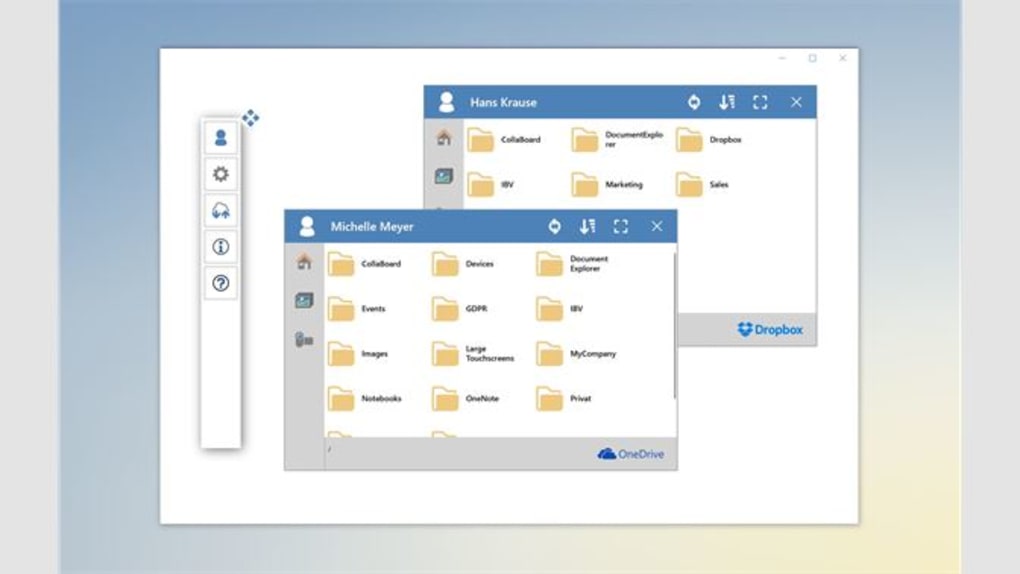
Once connected, you’ll see all your shared files listed in a familiar file explorer-style layout. You can browse, search, and open files just like on your local machine. For users managing multiple documents, simply select several files using Ctrl+Click or Shift+Click, then click Open Selected to view them in a unified window.
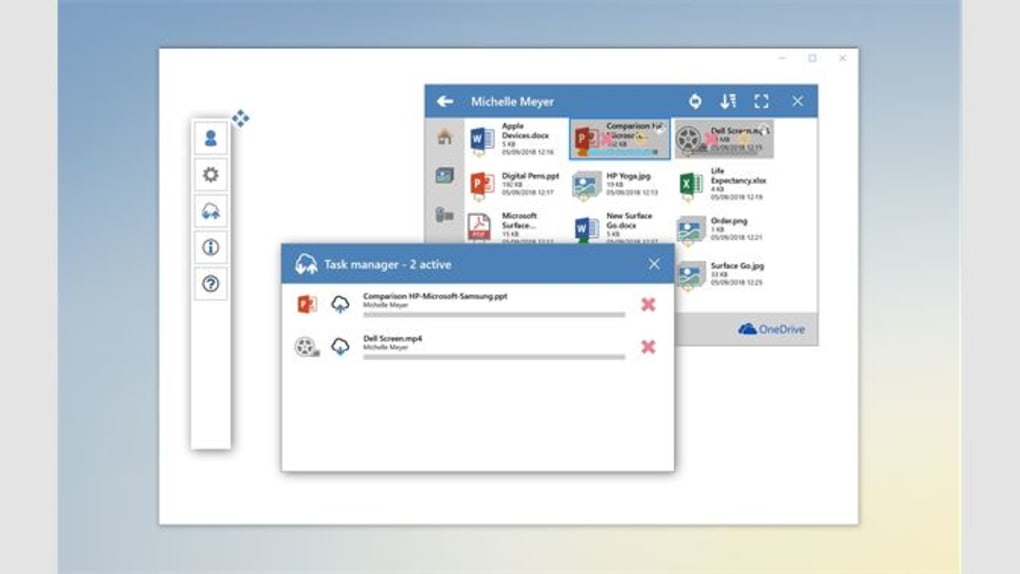
For advanced users, DocumentExplorer offers powerful tools like version branching and permission management. Right-click any file to access the context menu, where you can create a new version, share the document, or set access rights. The app also supports file uploads and downloads from cloud storage, allowing you to keep your data synchronized across devices.
To keep your software secure and optimized, enable automatic updates in the Settings menu. This ensures you always have the latest features and security enhancements without manual intervention. With its user-friendly design and minimal learning curve, DocumentExplorer is suitable for both beginners and experienced users.
Compatibility & System Requirements
DocumentExplorer is officially designed for Windows 8 and is fully optimized for both 32-bit and 64-bit versions of the operating system. It runs smoothly on devices with as little as 1GB of RAM and a 1GHz processor, making it accessible even on older hardware. The app does not require administrator privileges to install, allowing users to set it up quickly without IT support. While it currently supports Windows 8 exclusively, the development team has confirmed future releases for Windows 10, Windows 11, Mac OS, Android, and iOS, expanding its reach across platforms.
For users working in enterprise environments, DocumentExplorer supports integration with Microsoft SharePoint Server 2013, 2016, and 2019, as well as SharePoint Online (part of Microsoft 365). This compatibility ensures seamless access to shared document libraries, regardless of your organization’s infrastructure. The app uses HTTPS encryption for all data transfers, protecting your files during upload, download, and synchronization. It also respects local firewall and antivirus settings, minimizing conflicts with existing security software.
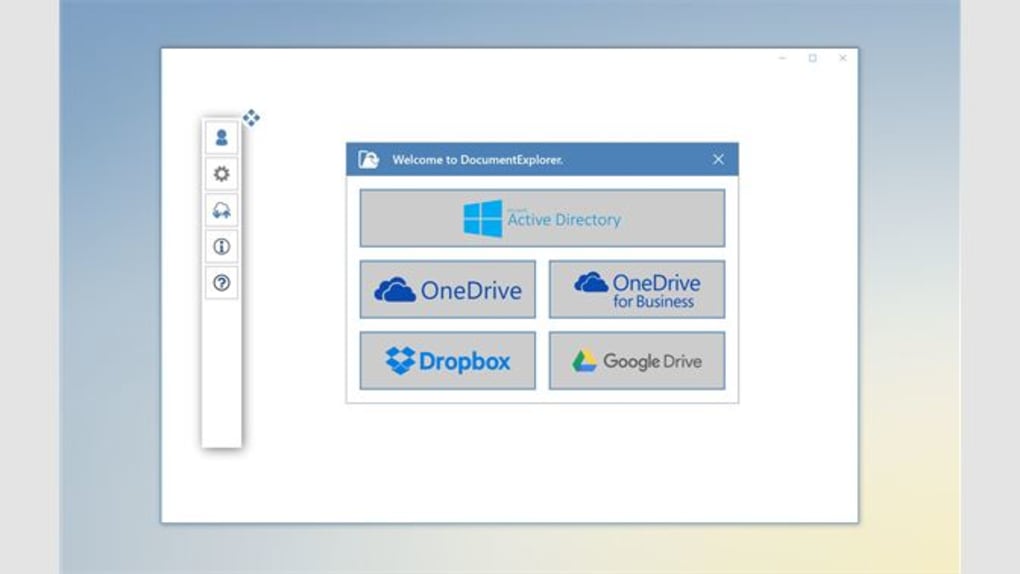
Cloud storage integration is another key aspect of compatibility. DocumentExplorer works with Microsoft OneDrive, Google Drive, and Dropbox (via API), allowing you to manage files across multiple platforms from a single interface. This is ideal for hybrid workflows where users switch between local, cloud, and SharePoint-based documents. The app also supports common file formats, including .docx, .xlsx, .pptx, .pdf, .txt, and .jpg, ensuring broad usability. With its lightweight footprint and broad compatibility, DocumentExplorer is a versatile tool that fits into almost any digital ecosystem.
Pros and Cons of DocumentExplorer
- Pros:
- Intuitive Ribbon interface with minimal clutter
- Seamless SharePoint integration for enterprise users
- Supports multi-document viewing and navigation
- Lightweight and fast, even on older systems
- Encrypted file handling and access controls
- Automatic updates for security and performance
- Free to download and use
- Supports version branching for collaborative work
- Cons:
- Currently limited to Windows 8 (no native Mac or mobile apps yet)
- Advanced features require SharePoint or cloud account
- Interface may feel basic compared to modern file managers
- Limited customization options for layout
- Customer support is minimal (no live chat or phone option)
Frequently Asked Questions (FAQ)
Can I use DocumentExplorer with SharePoint Online?
Yes, DocumentExplorer fully supports SharePoint Online (Microsoft 365). Simply enter your organization’s SharePoint URL and sign in with your Microsoft account to access your document libraries.
Is DocumentExplorer free to download?
Yes, DocumentExplorer is completely free to download and use. There are no hidden fees or subscription models.
Does it work on Windows 10 or Mac?
Currently, DocumentExplorer is only available for Windows 8. However, the developers have announced plans to release versions for Windows 10, Windows 11, Mac, Android, and iOS in the near future.
How secure is my data in DocumentExplorer?
Your data is protected with HTTPS encryption during transfers and optional file-level encryption. Access controls and permission settings ensure only authorized users can view or edit documents.
Can I open multiple documents at once?
Yes, you can select multiple files and open them in a single window using the Open Selected button. This allows easy comparison and navigation between files.
Conclusion: Why You Should Download DocumentExplorer Today
If you're a Windows 8 user who frequently works with documents—especially in a team or enterprise setting—DocumentExplorer is a must-have tool. Its clean interface, powerful SharePoint integration, and secure file management make it a standout choice in the utilities and tools category. Whether you're a student organizing research papers, a professional managing client files, or a team leader overseeing collaborative projects, this app helps you find, view, and manage documents faster and more securely.
With automatic updates, multi-document viewing, and support for version branching, DocumentExplorer enhances productivity while maintaining data integrity. The fact that it’s free, lightweight, and easy to install makes it accessible to everyone. While it currently lacks Mac and mobile support, the roadmap for future releases is promising.
Download DocumentExplorer now and experience a smarter way to manage your documents. Simplify your workflow, boost efficiency, and take control of your digital files today.







